MARKETING PLANNING
Channel plans, promotions and the budget behind them, built on the same hierarchy and the same weeks as the buy. Marketing and merchandising stop planning to different calendars.

PLANS
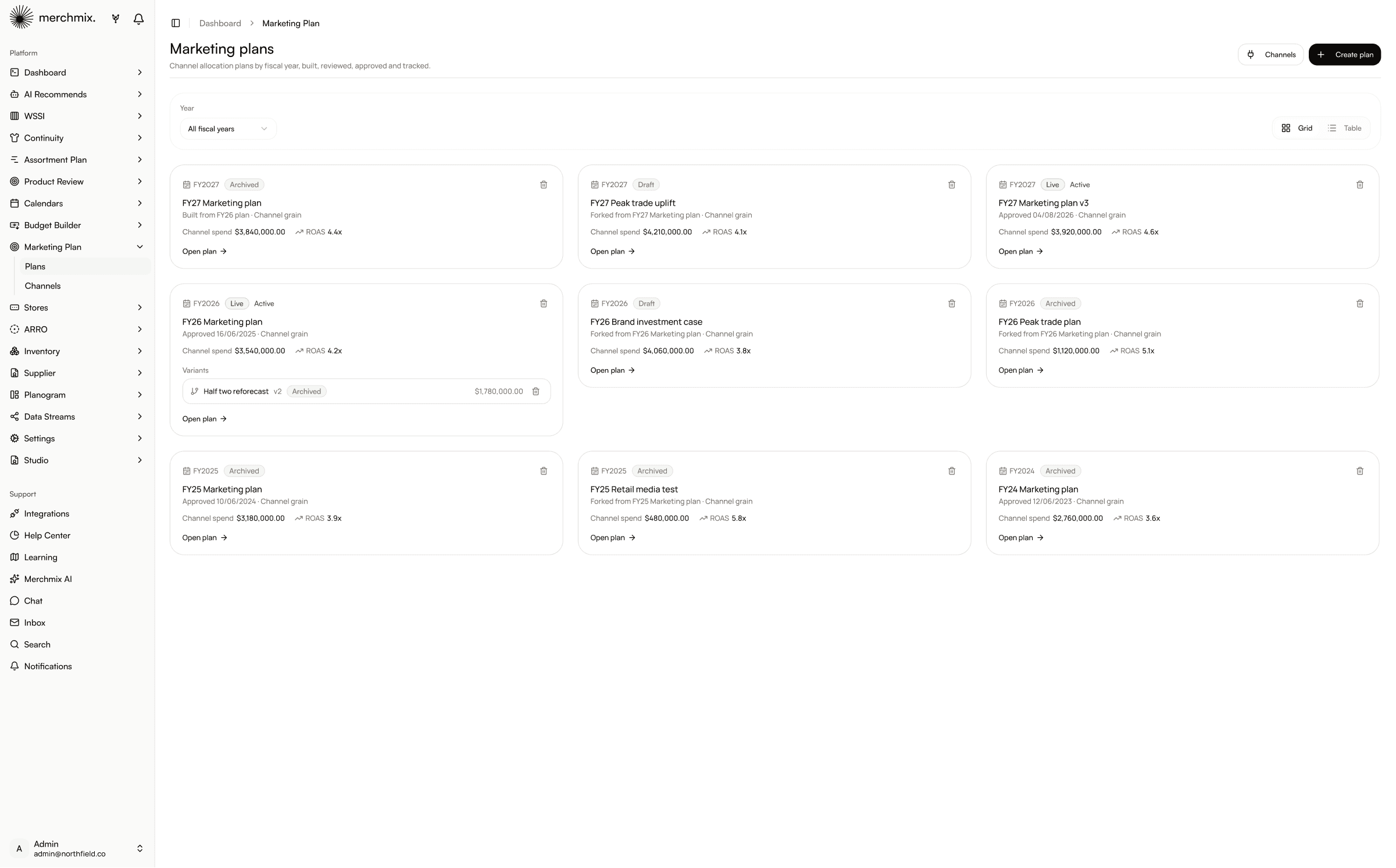
Marketing plans are held by financial year, versioned, with the status on the front of the card. Live is live, draft is draft, archived is out of the way. Channel spend and return sit on the card itself, so the plan you are looking for is identifiable before you open anything.
Plans filtered by year, or all years at once.
Live, draft and archived, visible before anyone opens anything.
Channel spend and ROAS on the card, not three clicks in.
Alternative versions sit under the plan they came from.
CHANNELS
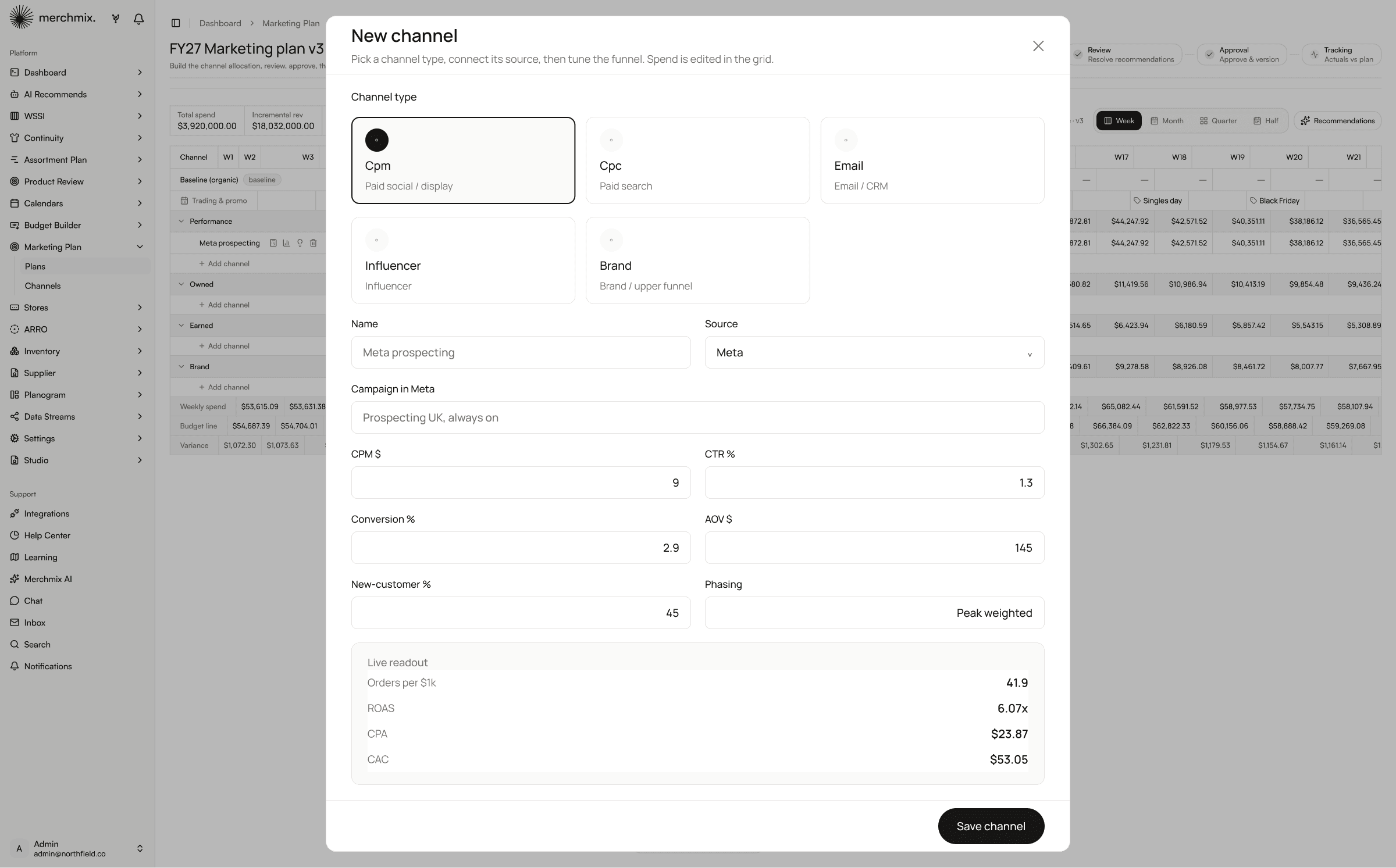
A channel is more than a line in a spreadsheet. Pick the type, connect the source, then set the funnel: CPM, click through, conversion, average order value and the share of new customers. The readout resolves as you type, so orders per thousand spent, return on ad spend, cost per acquisition and cost to acquire a customer are visible before the plan is built rather than calculated after the quarter closes.
Paid social, paid search, email and CRM, influencer and brand.
The channel is tied to the platform it runs on.
CPM, click through, conversion, order value and new customer share.
Orders per thousand, ROAS, CPA and CAC resolve as you set them.

CHANNEL PLAN
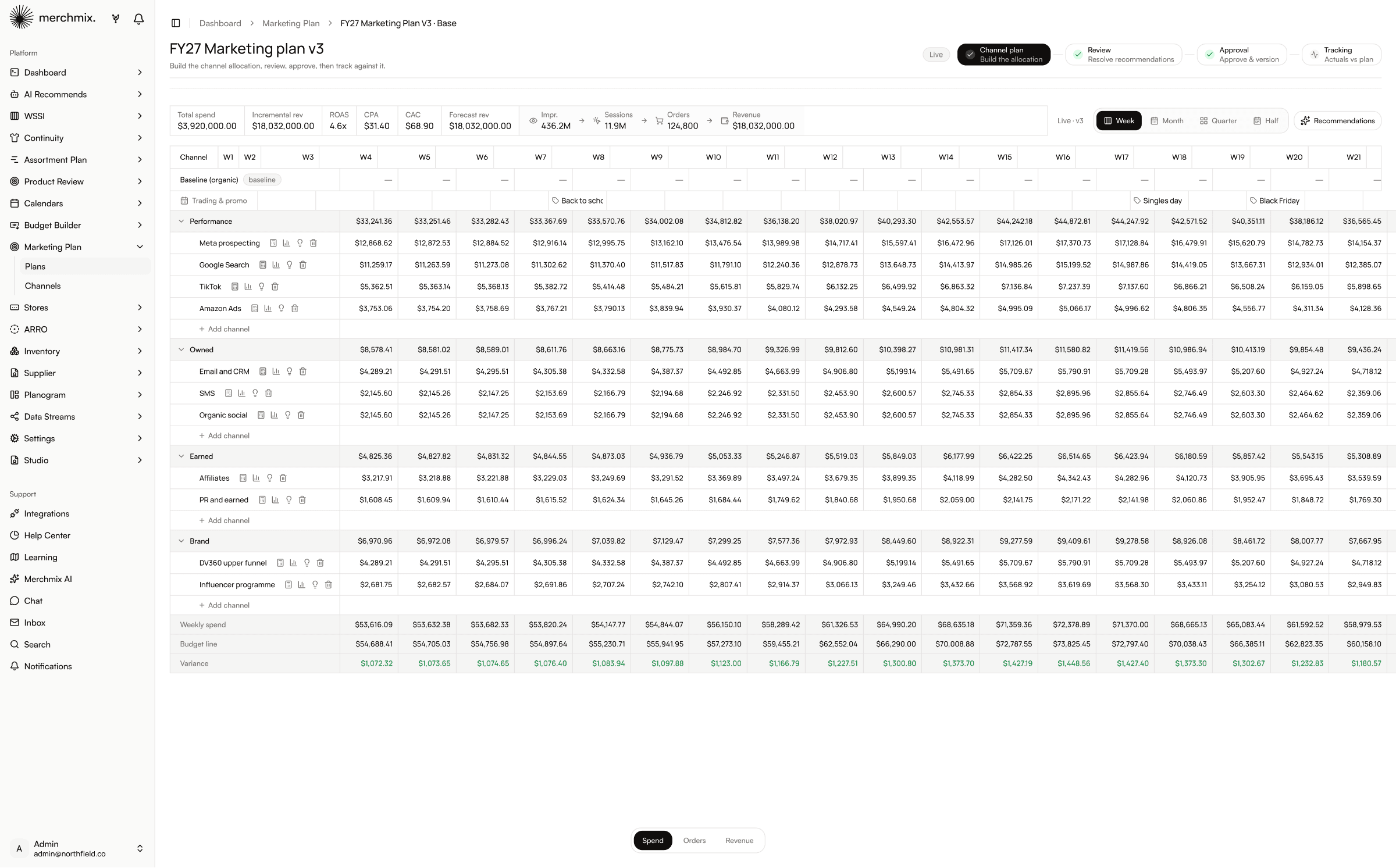
The grid runs performance, owned, earned and brand, with individual channels nested under each. This is media planning against a real number, because spend is planned by week against the approved budget line and the variance row sits directly underneath it, so an overspend is visible in the week it is planned rather than in the wrap. The trading calendar runs across the top, so the money is planned around the promotions instead of alongside them.
Performance, owned, earned and brand, channels nested under each.
Planned spend read against the approved budget every week.
Promotions visible in the weeks you are planning spend into.
Switch what the grid shows without leaving it.

REVIEW AND APPROVAL
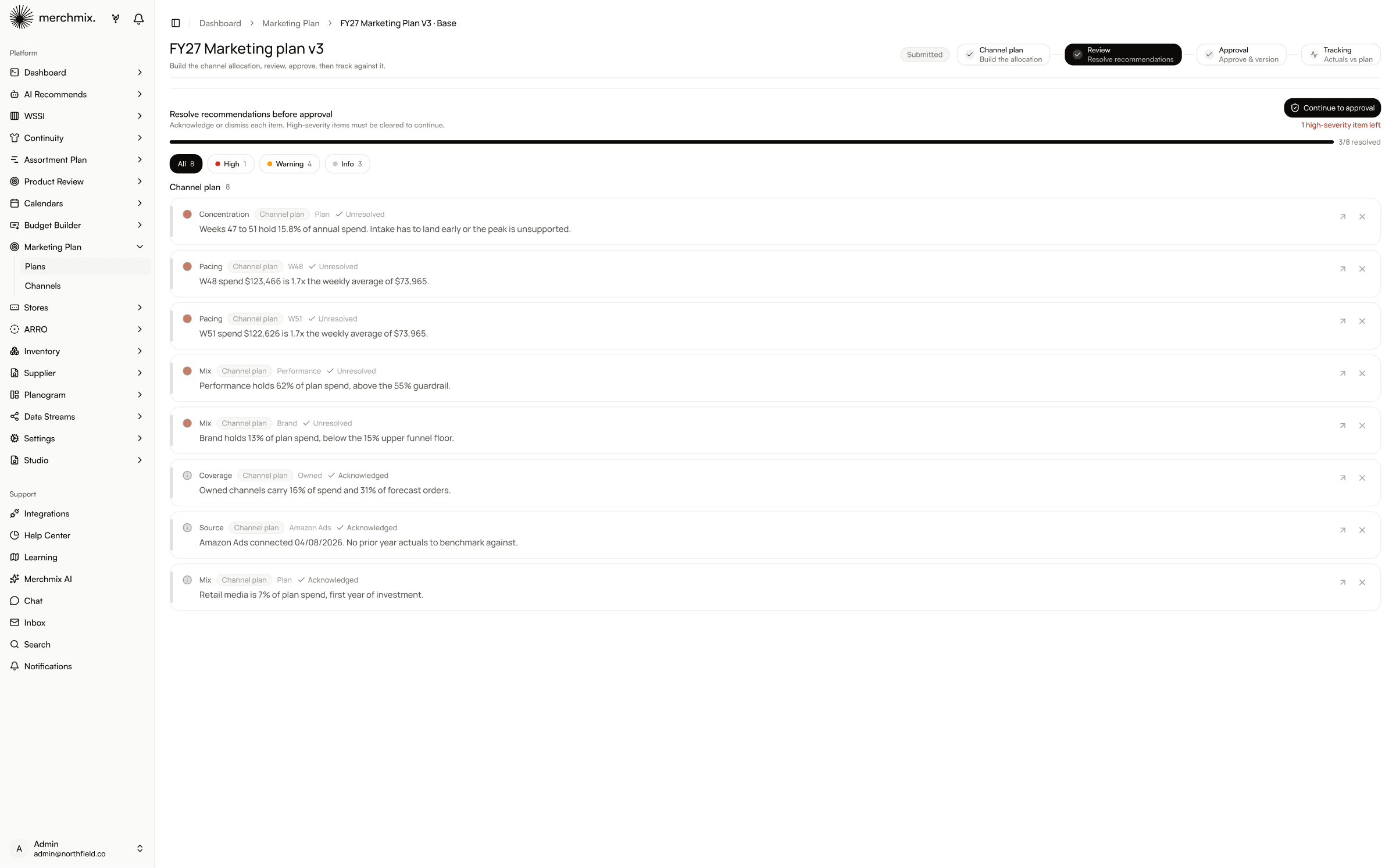
Submitted plans are read by Merchmix Intelligence before they are approved. Findings come back by severity, and a high severity item has to be cleared before the plan can continue, so a plan that concentrates spend into peak or breaches a mix guardrail cannot quietly reach approval. Once approved the version is frozen. Exploring an alternative forks a new draft rather than editing the signed off plan, and the two can be compared line by line afterwards.
High severity items must be cleared before approval continues.
Pacing, concentration and mix, each pointing at the week or channel it came from.
The approved plan is the one that gets tracked.
Version against version, with a full trail of who did what and when.
TRACKING
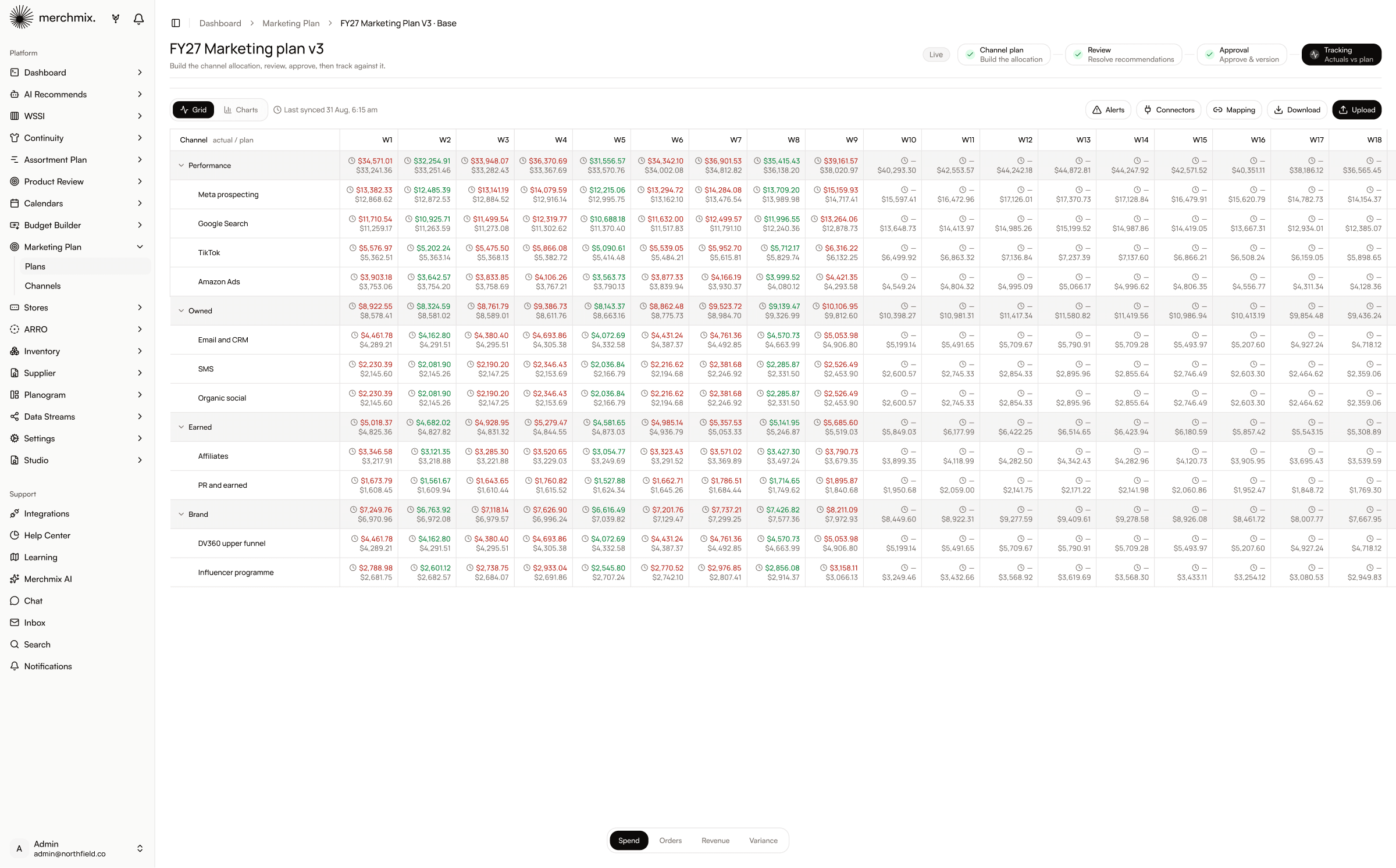
Actuals arrive through connectors on the channels themselves rather than being keyed, and land on the same weekly grid as the plan. Spend, orders, revenue and variance read against the approved number, so the conversation in week six is about what to do rather than whose figures are right.
Pulled from the platforms, with the last sync time shown.
Spend, orders, revenue and variance on the same grid.
Flagged where actuals move away from what was approved.
Read it as numbers or as a trend.

CONNECTED SOURCES
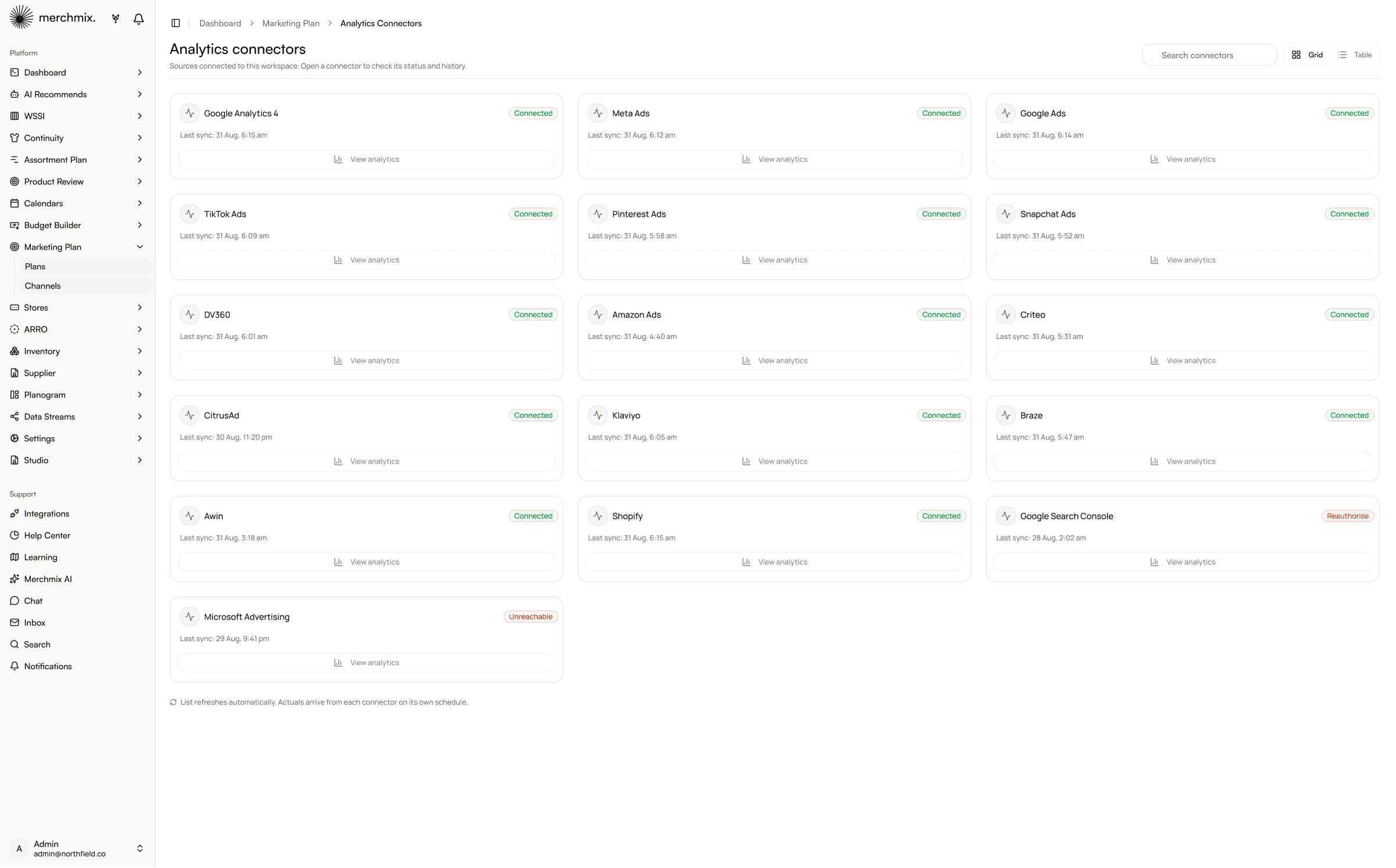
Every channel is tied to the platform it runs on, so spend, impressions, sessions, orders and revenue arrive from the source instead of being exported and keyed. Mapping controls how a platform's campaign structure lines up with your channel groups, so the numbers land in the right row without anyone reconciling naming conventions first. Paid social, programmatic and retail media are connected already, and where a platform is not, it gets built.
The source is set on the channel, not bolted on afterwards.
Platform campaign names resolved to your own channel groups.
When the actuals arrived, visible where you read them.
A source we do not connect to yet gets built rather than exported.
Representative sources include Meta, TikTok, Pinterest, Snapchat, DV360, Amazon Ads and CitrusAd. Explore all integrations →

PROMO CALENDAR
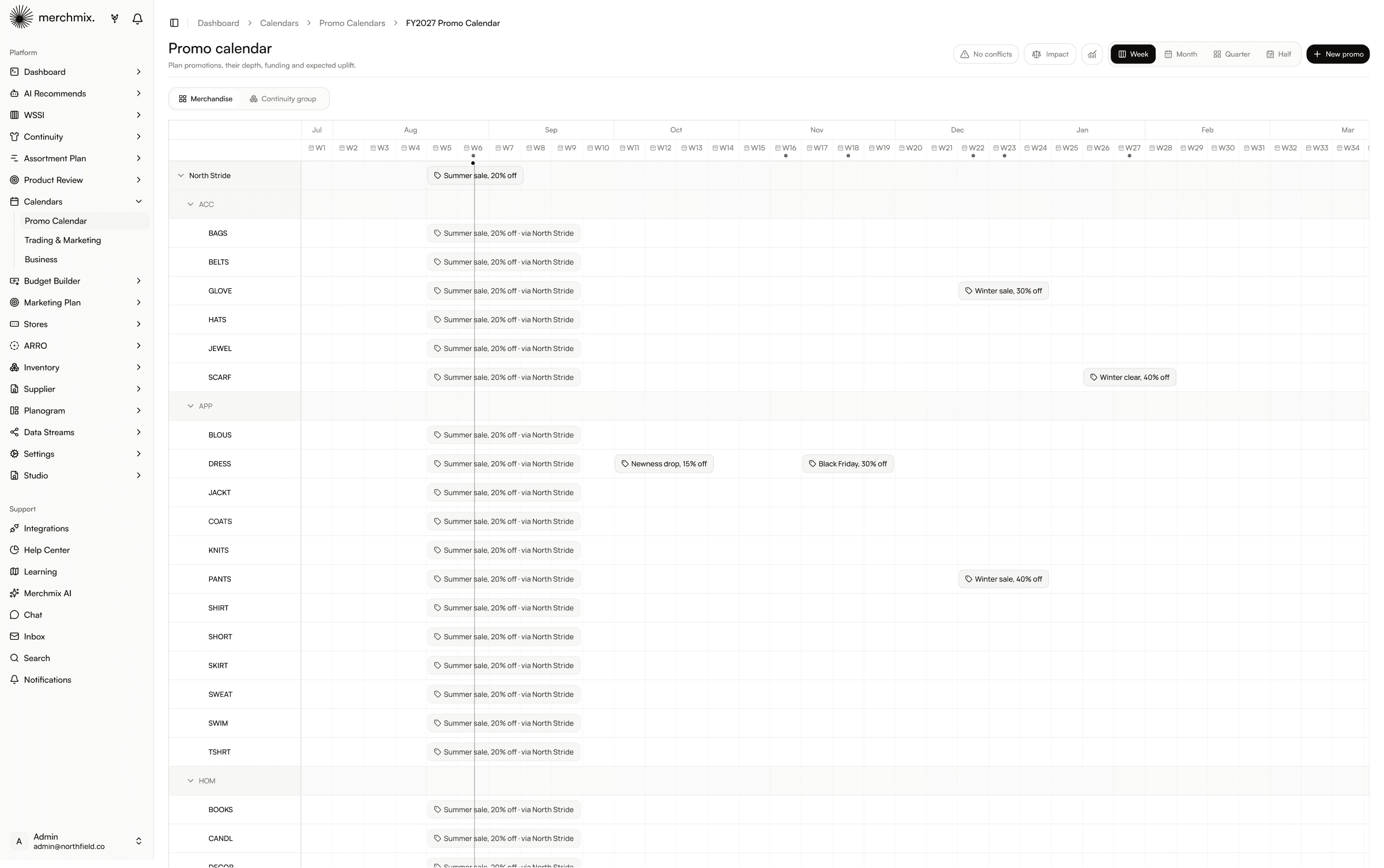
This is where marketing planning stops being a marketing exercise. The promo calendar runs the merchandise hierarchy down the side, so a promotion is attached to a department, category and sub-category rather than to a date in a marketing calendar. The whole year sits on one timeline, by week, so overlapping promotions are visible before the calendar is committed rather than discovered in trade.
Promotions attached to categories, not to a date list.
Every promotion by week, across the financial year.
Overlapping promotions flagged before the calendar is committed.
Plan against the range or against continuity groups.

PROMO IMPACT
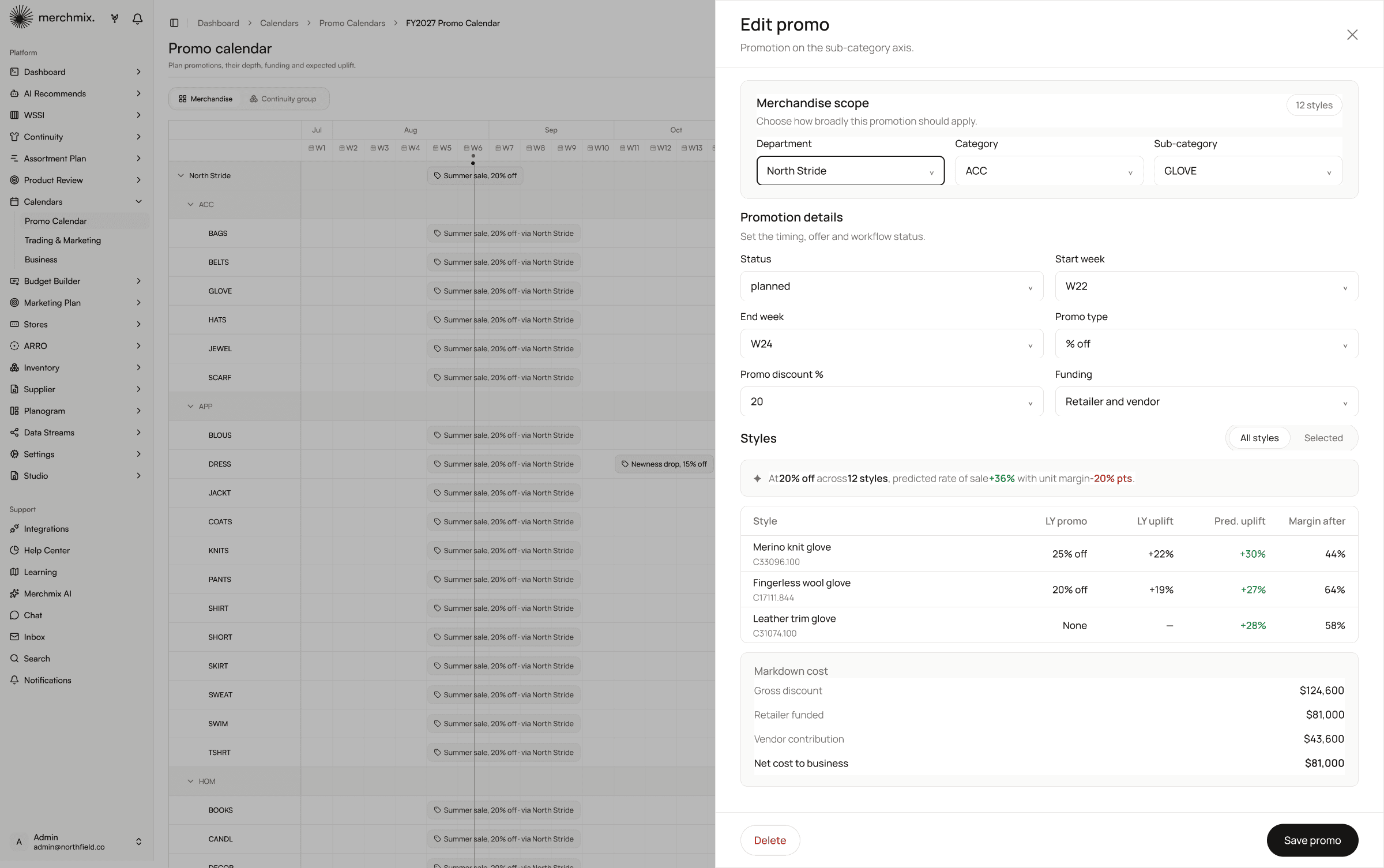
Open a promotion and it resolves to the styles it will actually apply to. Each one carries what it did on promotion last year, what it lifted, what it is predicted to lift this time and the margin it lands at afterwards. The summary reads in one line: at 20 percent off across twelve styles, predicted rate of sale up 36 percent with unit margin down 20 points. Markdown cost is split into gross discount, retailer funded and vendor contribution, so what the promotion actually costs the business is known before it is approved rather than reconciled after the season.
Department, category and sub-category, resolving to the styles it hits.
What the style did on promotion before, and what it is expected to do now.
The margin each style lands at, per style, before you commit.
Gross discount, retailer funded and vendor contribution.
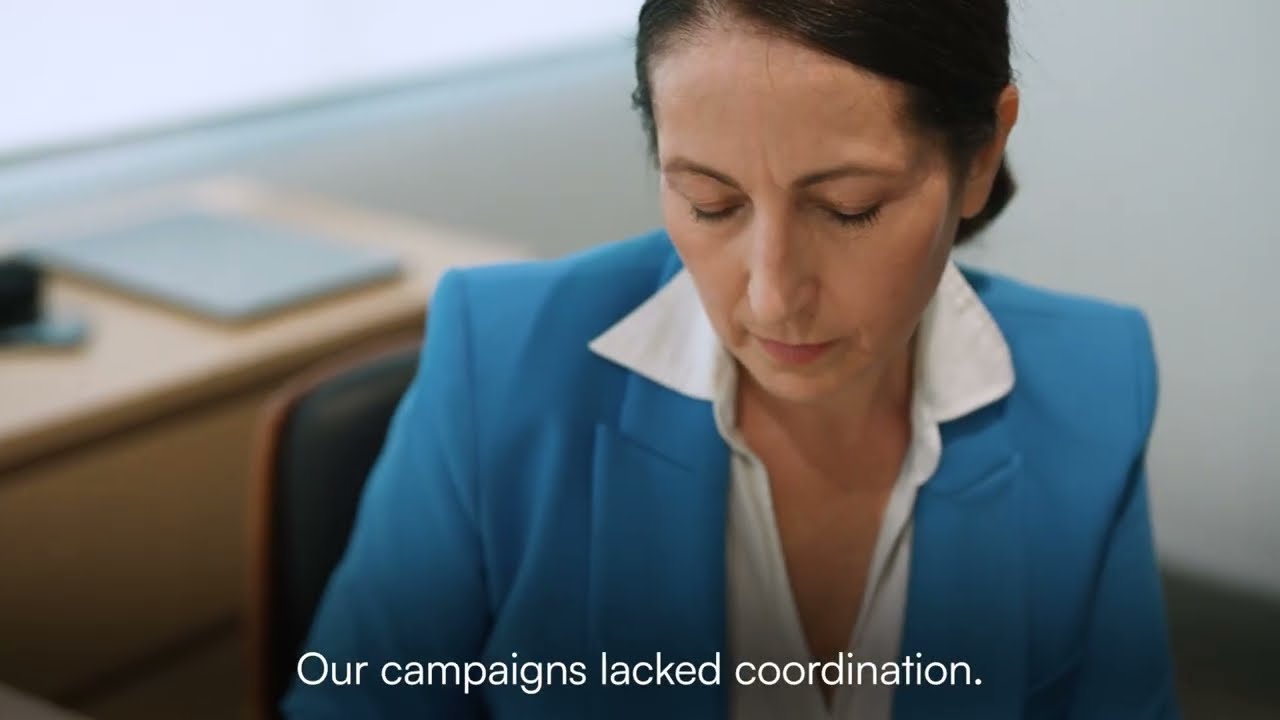
“Teams ran promotions in silos and leadership couldn't see spend, timing or impact in one view. Now every activity rolls into a single real time plan.”
Melanie Pells
Senior Marketer, Sydney, Australia

The marketing budget is derived from the approved sales budget in Budget Builder, so the number the channel plan is allocated against is the number the business committed to. The budget line in the grid is that figure, which is why variance means something rather than being a comparison against a target somebody set separately.
A promotion here is not a date and a percentage. It resolves to the styles it applies to, with the uplift it is predicted to drive and the margin those styles land at afterwards. That is the same information the buying and planning teams work from, on the same hierarchy and the same weeks, which is why the range behind a promotion, the stock supporting it and the spend driving it stop being three separate conversations.
Promotions scoped to style level, with predicted uplift and margin after.
The range that has to support the promotion, planned on the same categories.
Intake and stock planned in the weeks the discount lands.
The stock in the right stores for the weeks you are spending into.
A six week proof of concept on your own data, in a private sandbox, with onboarding included.