Category guide
What is a retail operating system?
Retailers have run on a stack of disconnected tools for decades. The whole of retail on one platform replaces that fragmentation with one connected loop, from planning through to execution.
A plain-English guide to the category: what it is, why it emerged, what it replaces, and how it differs from an ERP and from best-of-breed point tools.
8 min read · Updated 21 July 2026
In this guide
- One platform runs the whole of retail.
- Fragmentation became the bottleneck.
- One platform collapses the stack.
- Six pillars, one source of truth.
- Neither an ERP nor a pile of point tools.
- Two camps, split by the buy button.
- Three tests separate a platform from a suite.
- Fragmented stacks break in five places.
- merchmix runs the whole of retail.
- Questions, answered
The basics
One platform runs the whole of retail.
The term names a single platform that connects the core commercial functions of an inventory-led business (merchandise planning, buying, allocation and replenishment, visual merchandising, ERP, OMS, WMS, supplier collaboration, finance and decision intelligence) so decisions flow from plan to execution without moving between disconnected tools.
Most retailers do not run on one system. They run on a stack: planning in spreadsheets, operational data in an ERP, reporting in BI dashboards, allocation in rigid rules or a point tool, visual merchandising in PDFs, supplier conversations in email. Each part works on its own. The problem is the seams between them, where time is lost re-keying data, numbers disagree between tools, and decisions made in one place never quite reach the place they need to be executed.
The whole of retail on one platform is the response to that fragmentation. Rather than another tool bolted to the side of the stack, it is the connective layer the stack never had: one place where planning, trading, execution, operations and intelligence share a single source of truth and flow into each other.
Why the category exists
Fragmentation became the bottleneck.
The term borrows deliberately from computing, where one layer lets applications, hardware and data work together instead of as isolated parts. Retail has never had that layer. It has had ERPs built for finance and operations, planning tools built for one discipline, and a long tail of point tools, each solving a slice of the problem and none of them talking cleanly to the others.
That worked when trading cycles were slow. It does not hold up under today's pressure: compressed seasons, volatile demand, margin erosion, and the expectation that a decision made on Monday shows up on the shop floor by the weekend. When planning, execution and data live in different systems, the business moves at the speed of its slowest handoff. The category emerged because the fragmented stack became the bottleneck.
What it replaces
One platform collapses the stack.
The whole of retail on one platform does not add to the stack: it collapses it. Each disconnected tool has a connected equivalent inside one platform.
| The fragmented stack | The whole of retail on one platform |
|---|---|
| Planning in spreadsheets | Merchandise financial planning, MFP (WSSI) and open-to-buy in one live system |
| ERP holds operational data but lacks retail intelligence | ERP breadth connected to retail planning depth |
| Allocation by manual rules or a separate point tool | Grade-driven allocation and replenishment |
| Visual merchandising in PDFs and email | Live visual merchandising and floor planning |
| Supplier conversations in email and spreadsheets | Supplier collaboration inside the platform |
| Reporting in delayed BI dashboards | Decision intelligence live in the workflow |
The value is not any single row: it is that the rows are connected. A plan built in the first row reconciles to the budget, drives the allocation in the third row, and is tracked by the intelligence in the last row, without the data leaving the system.
The pillars
Six pillars, one source of truth.
A platform earns the name only if it connects the full commercial cycle, not two or three parts of it. The pillars are:
- Plan.
- Merchandise financial planning, WSSI, open-to-buy, and assortment and range planning. In merchmix, this is core.
- Trade.
- Allocation and replenishment, size-curve planning, and in-season trading against live demand. In merchmix, this is core plus.
- Execute.
- Visual merchandising, floor planning, and store execution. In merchmix, the planogram in core plus and beacon for stores.
- Operate.
- ERP, OMS and WMS, which are the operational backbone stock actually moves through. In merchmix, horizon, vertex and orbit.
- Collaborate.
- Supplier collaboration and purchase orders, connected to demand. In merchmix, forge.
- Decide.
- Decision intelligence that surfaces risk and recommends action inside the workflow, not in a separate dashboard. In merchmix, yukti, the agent.
Underneath all six sits the thing that makes it one platform rather than a suite: a single source of truth shared across teams, regions, stores, suppliers and channels.
Category distinction
Neither an ERP nor a pile of point tools.
The whole of retail on one platform is not an ERP, and it is not a pile of best-of-breed tools. It is a distinct category defined by connection.
| Capability | ERP alone | Best-of-breed point tools | One platform |
|---|---|---|---|
| Retail planning depth | Low | High, in one discipline | High, across all |
| Planning connected to execution | No | No, each tool is a silo | Yes |
| Single source of truth | Partial | No | Yes |
| Decision intelligence in the workflow | No | Sometimes | Yes |
| Integration and maintenance burden | Medium | High, many tools to stitch | Low, one platform |
ERPs are strong on operations and finance but thin on retail planning. Point tools are deep in one area but leave you integrating and reconciling a dozen systems. One platform for the whole of retail is defined by doing what neither does: connecting planning through execution on shared data.
The whole of retail, in one demo.
One platform from planning to execution, with intelligence in the workflow. 1-hour demo with sales and product.
Two uses of the label
Two camps, split by the buy button.
Not every system using the label runs the same half of the business. Most fall into one of two camps, split by the buy button. Neither camp is wrong. They run different halves of retail, and many retailers run one of each.
| Operations-led (runs everything after the buy button) | Merchandising-led (runs everything that decides the buy) |
|---|---|
| Order management and fulfilment | Merchandise financial planning (WSSI) and open to buy |
| Inventory and stock control | Range and assortment planning |
| Accounting and financial management | Allocation and replenishment |
| Purchasing and supplier records | Store execution and visual merchandising |
| Warehouse and channel operations | Daily trade actions and review |
The practical question is not which camp is better. It is which half of your business currently runs on spreadsheets. If orders, stock and accounting are under control but what to buy, how much, and where it goes is still a spreadsheet job, an operations-led system will not fix it, because the gap sits before the buy button, not after it.
What the name means
Three tests separate a platform from a suite.
A suite is a set of products sold together that still behave as separate applications. The whole of retail on one platform is different in three specific ways, and these are the tests a platform has to pass to earn the name.
- One source of truth.
- Every function reads and writes the same data, so numbers never disagree between planning, operations and reporting.
- Decisions flow to execution.
- A plan does not stop at a dashboard: it flows into allocation, replenishment and the shop floor without being re-keyed.
- Intelligence lives in the workflow.
- Risk detection and recommendations appear where the work happens and drive the next action, rather than sitting in a separate BI tool.
Where point tools fall short
Fragmented stacks break in five places.
- The integration tax.
- Every added point tool is another integration to build, monitor and pay for, and every one is a place data can break.
- Numbers that disagree.
- When planning, ERP and reporting hold separate copies of the truth, teams spend meetings reconciling figures instead of acting on them.
- Decisions that never land.
- A good decision made in a planning tool is worthless if it cannot flow into the system that executes it.
- Intelligence on the outside.
- AI bolted onto a dashboard, away from the daily workflow, informs but does not change what someone does next.
- No single source of truth.
- Without one, every team optimises its own slice and the business never sees the whole picture at once.
In merchmix
merchmix runs the whole of retail.
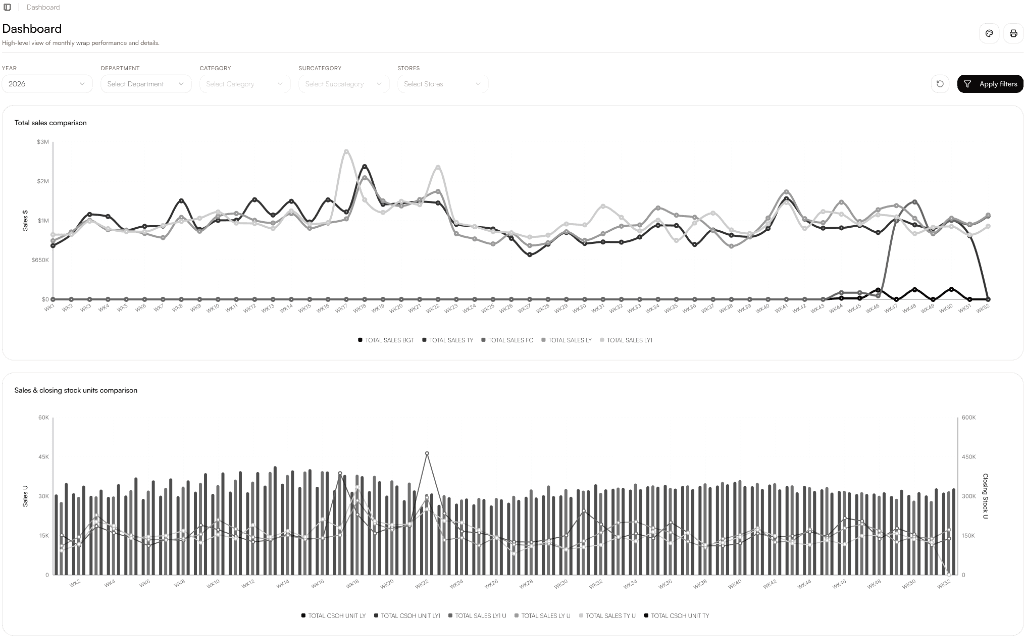
merchmix runs the whole of retail on one platform, with yukti, the agent, at its core, built for retailers, brands, wholesalers and inventory-led businesses. core holds merchandise financial planning, WSSI, open-to-buy, and assortment and range planning. core plus runs allocation and replenishment and the planogram. forge runs product development and supplier collaboration. horizon, vertex and orbit are the ERP, OMS and WMS. atlas is the reporting. And yukti surfaces risk and recommends action inside the workflow, with four actions: rebalance, allocation and replenishment, purchase orders, new styles.
Where you keep an existing ERP, it stays the system of record: publish-back is approval-first and fully auditable, so you gain retail intelligence without losing control. merchmix integrates with leading systems including NetSuite, SAP S/4HANA, Microsoft Dynamics 365, Shopify and BigQuery. The result is one connected platform from plan to shop floor: a single source of truth across teams, regions, stores, suppliers and channels.
- What is a WSSI?
- The weekly plan at the heart of trading. Read the guide
- What is assortment planning?
- Breadth, depth and store clusters. Read the guide
- What is size curve optimisation?
- Sizing the buy to real demand. Read the guide
- What is allocation and replenishment?
- Where stock goes first, and how it stays there. Read the guide
Questions, answered.
What is a retail operating system?
A single platform that connects the core commercial functions of an inventory-led business (merchandise planning, buying, allocation and replenishment, visual merchandising, ERP, OMS, WMS, supplier collaboration, finance and decision intelligence) so decisions flow from plan to execution on shared data, instead of moving between disconnected tools. The whole of retail on one platform.
How is a retail operating system different from an ERP?
An ERP is built for finance and operations and is strong at holding operational data, but it is thin on retail planning like merchandise financial planning, WSSI, assortment planning and grade-driven allocation. One platform for the whole of retail adds that retail depth and connects planning directly to execution on shared data, rather than leaving planning to spreadsheets and point tools alongside the ERP.
How is it different from best-of-breed point tools?
Point tools go deep in one discipline but leave you integrating and reconciling many separate systems, each with its own copy of the data. One platform for the whole of retail connects the whole cycle (plan, trade, execute, operate, collaborate, decide) on a single source of truth, removing the integration tax and the disagreements between tools.
What is the difference between operations-led and merchandising-led retail operating systems?
Operations-led systems run everything after the buy button: orders, inventory, accounting and fulfilment. Merchandising-led systems run everything that decides the buy: WSSI, open to buy, range planning, allocation, replenishment and trade actions. Many retailers run one of each, and the label is used by both camps.
What functions does a retail operating system connect?
The full commercial cycle: merchandise financial planning, WSSI and open-to-buy; assortment, range and size-curve planning; allocation and replenishment; visual merchandising and floor planning; ERP, OMS and WMS; supplier collaboration; finance; and decision intelligence, all sharing one source of truth across teams, stores, suppliers and channels.
Does a retail operating system replace your ERP?
Not necessarily. Where a business keeps its existing ERP, the platform connects to it and the ERP stays the system of record, with publish-back that is approval-first and fully auditable. The platform adds the retail planning and execution depth the ERP lacks, rather than ripping it out.
Who needs a retail operating system?
Inventory-led businesses (retailers, brands and wholesalers) whose planning, buying, allocation, merchandising and reporting are spread across spreadsheets, an ERP, BI dashboards and point tools. The more disconnected the stack and the faster the trading cycle, the more the fragmentation costs in time, margin and missed demand.
What is the benefit of a single source of truth?
When every function reads and writes the same data, numbers stop disagreeing between planning, operations and reporting, decisions flow straight into execution without re-keying, and intelligence can act on the whole picture rather than one team's slice. It is the difference between a suite of tools and one platform for the whole of retail.
Is merchmix a retail operating system?
Yes. merchmix runs the whole of retail on one platform, with yukti, the agent, at its core: planning, buying, allocation, visual merchandising, ERP, OMS, WMS, supplier collaboration, finance and decision intelligence, from plan to shop floor.
One platform, from plan to shop floor.
See how the whole of retail on one platform connects planning, trading and execution with intelligence in the workflow. Free 6-week POC on your own data, no contract.